
To find stolen images, run a reverse image search with your original file, check the exact and similar matches across more than one engine, and review each page to see whether your image is used with permission. Then save dated evidence before you contact the site owner or take any further step.
This guide explains how to search, how to tell infringement from legitimate use, what evidence to collect, and your options for getting an image removed or credited. It is general information, not legal advice. For the basics of the technique, see our complete guide to reverse image search.
Quick method
- Search your original, highest-quality file.
- Check the exact and similar results in more than one engine.
- Open each page and note how the image is used.
- Save screenshots and URLs with dates.
- Decide whether the use is authorized.
- Contact the site owner, or send a takedown request if needed.
Step 1: Search with your original file
Upload the original, uncropped file to ReverseImageSearch.co so the search compares your best version. If your image is online, you can also search by image URL. Thumbnails, watermarked copies and screenshots return weaker results.
Step 2: Check exact and similar matches
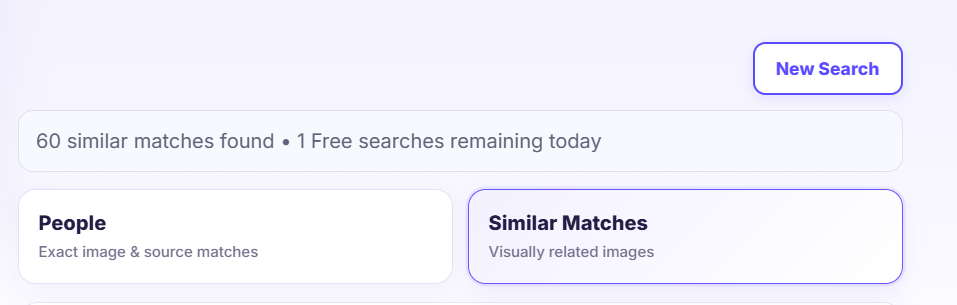
Start with the Exact Match results to find direct copies, then review the Similar results for cropped, resized, mirrored, or filtered versions, which thieves often use to avoid detection. Repeat the search in more than one engine because their indexes differ. See exact match vs similar image search and our engine comparison.
Try crops of distinctive parts of the image too. A cropped or edited copy may match a part of your image better than the whole.
Step 3: Review each page
For every match, open the page and check:
- Is your image used as a main image, a product photo, an advert, or a background?
- Is there a credit, link, or license note?
- Is the site commercial or personal?
- Has the image been cropped, edited, or had its watermark removed?
- Is the page old or recently published?
Step 4: Decide whether it is infringement
Not every match is theft. Check first whether the use is authorized.
| Situation | What it may mean | Next step |
|---|---|---|
| You licensed or gave the image to the site | Authorized use | Check the license terms and credit |
| A news site or blog cites you with a link | Likely authorized or permitted | Confirm the agreement, and ask for credit if missing |
| The image is on a stock or portfolio site you did not authorize | Possible unauthorized use | Collect evidence and contact the site |
| A commercial seller uses your photo in listings | Possible infringement | Collect evidence and consider a takedown |
| Someone reposts with a credit to you on social media | Possibly permitted, depending on the platform and your terms | Decide whether to allow it |
| The image is used under an open license (for example, Creative Commons) | Authorized if the license terms are followed | Check attribution requirements |
Copyright rules, exceptions such as fair use or fair dealing, and licenses vary by country. If you are unsure, ask a qualified professional before making an accusation.
Step 5: Collect evidence
Before you contact anyone, preserve proof:
- Screenshots of the page showing the image, the full URL and the date.
- The image URL and the page URL.
- Your proof of ownership: the original file, camera or project files, EXIF data, drafts, contracts, and the date you first published it. See how to prove image ownership.
- Archive copies of the page, since pages can change or disappear.
- A record of what you did, including search dates and contacts.
[ADD: a downloadable evidence checklist if you build one]
Step 6: Choose your action
Contact the site owner. Many cases end with a polite email asking for removal, a credit with a link, or a license fee. Keep the message factual: identify your image, give the page URL, say you own the rights, and state what you want.
Send a takedown notice. Many hosts, platforms, and search engines have copyright complaint processes. In the United States, a notice under the Digital Millennium Copyright Act (DMCA) to the site’s designated agent or host is a common route, and other countries have their own procedures. False claims can have legal consequences, so make sure you own the rights. See our DMCA takedown guide.
Use the platform’s report form. Social networks, marketplaces and hosting companies provide copyright reporting tools. Use the form that matches the platform.
Ask a search engine to remove the page from results. Search engines allow rights holders to request removal of infringing pages from their results. This does not delete the image from the site itself.
Seek legal advice. For commercial use, repeated infringement, or significant losses, a copyright lawyer can explain your options, including licensing demands and registration. In the United States, registering a work is generally required before filing an infringement lawsuit, and registration timing can affect remedies.
Protecting your images
Searching finds copies after the fact. To reduce theft and prove ownership:
- Keep your original files, project files, and metadata.
- Add a clear copyright notice and a visible or subtle watermark where it suits your work.
- Publish web versions at moderate resolution.
- Include copyright and creator information in the file’s metadata.
- Register your most valuable work where registration is available.
- Re-run reverse image searches regularly, for example monthly for your top images.
See our guide to protecting photos from theft.
Limitations
- Search engines do not index everything, so a missing result does not mean no one has copied your image.
- Private groups, apps, and password-protected pages are usually not searchable.
- Heavily edited copies may not match.
- A match shows use, not whether the use is authorized.
- Removal is never guaranteed, and some sites ignore requests.
Who uses image copyright search?
Photographers and artists monitor their portfolios. Ecommerce sellers find competitors using their product photos. Bloggers and publishers check images before use to avoid infringement. Brands protect logos and campaign visuals. See reverse image search for photographers and for sellers.
If you want to use someone else’s image
Reverse image search can also help you avoid infringement. Find the source, identify the creator, and look for a license before you use it. An image being online does not mean it is free to use. If you cannot find a license, ask for permission or choose an image with a clear license. See how to find the source of an image and image licensing basics.
FAQ
How do I find out if someone is using my photo?
Search your original image with a reverse image search tool, check the exact and similar results in more than one engine, and open each page to see how the image is used.
Is using an image I found online illegal?
Not always, but often it requires permission or a license. Fair use, fair dealing, and open licenses have conditions that vary by country, so check before you use it.
Can reverse image search prove copyright infringement?
No. It shows where an image appears. You still need to show you own the rights and that the use was not authorized.
What should I do if my image was stolen?
Save evidence, check whether the use is authorized, contact the site owner, and use a takedown or reporting process if needed. For serious cases, consider legal advice.
Can I get paid when someone uses my image?
Sometimes, through a license fee or settlement, but outcomes depend on your rights, the use, and local law. A lawyer can advise.
Does a watermark stop theft?
It discourages casual copying but can be cropped or removed. Use it with other protections.
Does a copyright symbol make an image protected?
In many countries, copyright applies automatically when an original work is created, whether or not a notice is shown. A notice still helps show ownership and deters copying.