
To find the original source of an image, run a reverse image search with the best copy you have, compare results from more than one search engine, sort for the oldest appearance, and then verify the credit with the photographer, agency, or publisher. The first result on the list is often not the true origin, so the dates and credits matter more than the ranking.
This guide gives a repeatable method, shows how to read the results, and explains what to do when the trail goes cold. For the basics, see our complete guide to reverse image search.
Quick method
- Get the clearest, largest copy of the image.
- Search it with ReverseImageSearch.co and at least one more engine.
- Collect every page where the image appears.
- Sort by date and open the oldest credible pages.
- Check credits, captions, and metadata.
- Confirm with the creator or publisher when it matters.
Step 1: Start with the best copy of the image
Quality affects matching. If you found the image on a web page, right-click it and open it in a new tab to get the largest version, or copy its address and search by image URL. Avoid screenshots where possible, because borders and interface elements get in the way. If a screenshot is all you have, crop it to the picture itself.
Step 2: Run the search in more than one engine
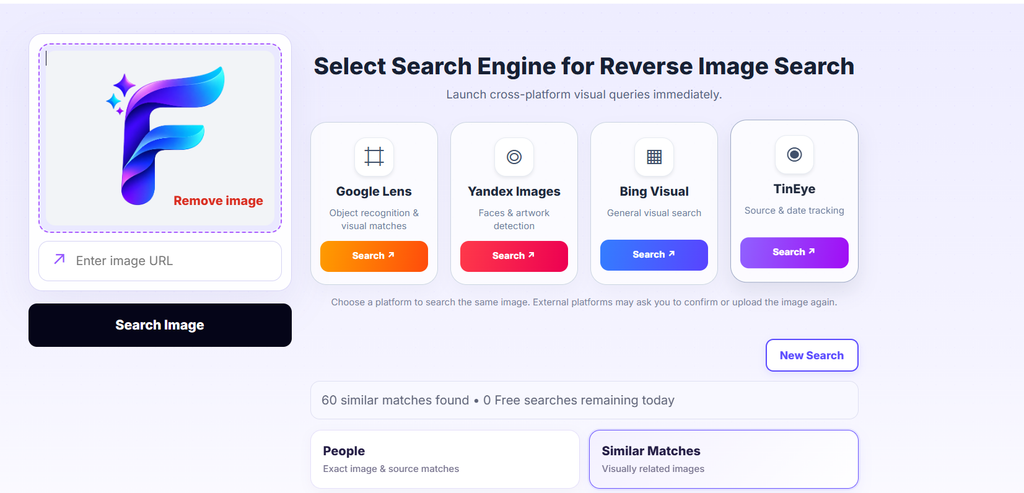
Each engine has its own index, so the earliest copy may show up in one and not another. Use the Exact Match results first to find the same image, then the Similar results to find edited or cropped versions that may point to the origin.
For deeper engine notes, see our guides to Google, Yandex, and TinEye.
Step 3: Find the earliest appearance
The source is usually the earliest credible publication, not the most popular page. Build a short timeline:
- Look for a publication date on the page, in the article, or in the page’s code and search snippet.
- Some engines let you sort or filter results by date, or show when an image was first crawled. Treat crawl dates as clues, not proof of publication.
- Read the older pages first: a stock photo site, a news agency, a photographer’s portfolio, or a museum archive is a stronger lead than a social media repost.
See how to find the earliest appearance of an image for a longer workflow.
Step 4: Check the credit, caption and metadata
- Credits and captions: look for a photographer, agency, or license line beneath the image or in the article footer.
- Image metadata: if you have the original file, EXIF fields such as the camera, date, and author may help. Many platforms strip metadata when images are uploaded, so absence is normal. See how to check image metadata.
- Watermarks and signatures: a visible mark may name the creator. Search that name to find a portfolio.
- Stock libraries: if the image appears on a stock or news agency site, the listed contributor is usually the right credit.
Step 5: Confirm the original
Before you credit or republish an image, check that:
- The earliest page is credible and relates to the image’s subject or event.
- The credit matches across more than one trustworthy page.
- The image has not been edited from an earlier version.
- You have contacted the creator or publisher if you need permission.
What the results mean
| What you see | What it likely means | What to do |
|---|---|---|
| One older page with a credit | A strong lead to the source | Verify with the creator or agency |
| Many pages with the same image, no credit | A widely reused image | Search for the earliest date and the highest-resolution version |
| A stock or news agency listing | A licensed image | Check the license terms before use |
| Only similar images | The exact image may be cropped, edited, or unindexed | Try a different crop or engine |
| No results | Not indexed, private or new | See why searches find no results |
Common mistakes
- Treating the top result as the original.
- Crediting an aggregator or a social account that only reposted the image.
- Trusting a date without opening the page.
- Ignoring edited or cropped versions that predate the version you found.
- Assuming a missing credit means the image is free to use.
When you cannot find the source
Some images are not available in any index or have been scrubbed of credits. In that case, try a tighter crop of the most distinctive part, search a different frame if it came from a video, search for visible text or landmarks with a normal keyword search, or ask the person who shared it for the original file. If you still cannot identify the creator, avoid claiming a source you cannot prove. Describe it as “source unknown” and keep your search notes.
FAQ
Can reverse image search always find the original source?
No. It finds pages where the image has been indexed. The earliest appearance you find is a strong lead, not a guarantee.
How do I find the photographer of an image?
Look for credit lines, agency names, and watermarks on the earliest pages; check metadata if you have the original file, and search the name in a portfolio or agency. See how to find the creator or photographer.
Is the first result the original?
Not necessarily. Ranking reflects relevance and popularity, not publication date.
How do I find a higher-resolution version of the image?
Open the earliest pages and look for larger versions, or use the Similar results to find bigger copies. See how to find a higher-resolution image.
Can I use an image once I find its source?
Finding the source does not permit to use it. Check the license or ask the owner. See image copyright search.