
To find similar images online, upload your picture or paste its URL into a reverse image search tool, open the visually similar results, and refine the search by cropping to the part you care about. Similar results show images that look alike in color, shape, subject, or style, not only exact copies.
This is useful when you want alternative photos of the same subject, other crops and edited versions, design inspiration, or a better-quality version of the same picture. If you need the original publisher instead, use our guide to finding the source of an image.
What counts as a similar image?
| Result type | What it is | Typical use |
|---|---|---|
| Exact match | The same image on another page | Finding copies and reposts |
| Near duplicate | Resized, cropped, filtered or lightly edited versions | Finding the original and edited versions |
| Visually similar | Different images with matching subject, color or composition | Alternatives and inspiration |
| Contextually related | Images or pages on the same topic or product | Research and shopping |
See exact match vs similar image search for a deeper comparison.
How to find similar images in 4 steps
- Choose your image. Use the clearest, highest-resolution copy you have. Upload it, drag and drop it, paste it, or enter its public URL. See how to search by image URL.
- Run the search on ReverseImageSearch.co.
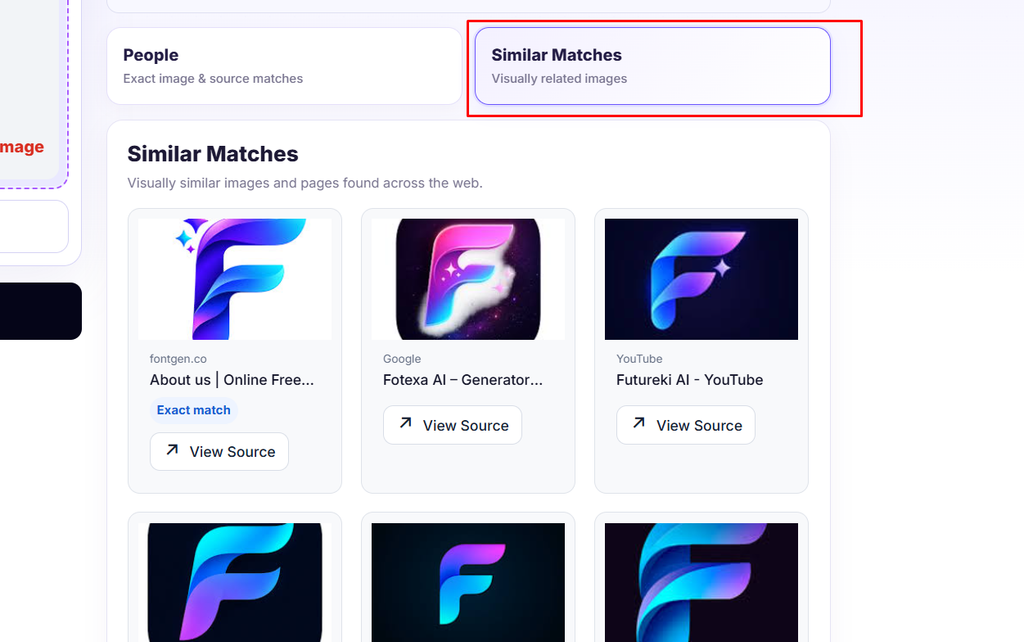
- Open the Similar tab and scan for matches. Exact matches show where the same image appears, while similar results show related pictures.
- Refine. If results are too broad, crop to the main subject. If they are too narrow, search a wider crop or a different engine.
How to get better similar image results
- Crop to the subject. Remove borders, text, and background so the engine focuses on the object you care about.
- Use a large, sharp image. Small or blurry images produce vague matches.
- Remove overlays and watermarks where you can, or search a different part of the image.
- Try color and orientation changes. Flip a mirrored image back, or search a version without heavy filters.
- Search in more than one engine. Google, Bing, Yandex, and TinEye often disagree, and each can surface different alternatives. See our engine comparison.
- Add text if the tool allows it. A few descriptive words can narrow results, such as the color, material, or setting.
Ways to use similar image search
Find alternative photos of a subject. Search a landmark, animal, or scene to see different shots from other photographers.
Find other versions of the same picture. Locate crops, resizes, and edited variants, including a larger or higher-quality version. See how to find a higher-resolution image.
Collect design and mood board references. Search a layout, interior, color palette, or illustration to find related styles.
Find products that look like an item. Use a photo of an object to find similar or alternative products. See how to search for a product using an image.
Check where an image has been reused. Similar results can show edited versions that an exact-match search misses. See image copyright search.
Research a topic or event. Look for other photos from the same scene to compare viewpoints, which also helps with verifying a viral image.
Similar image search on different devices
On a phone, open ReverseImageSearch.co in your mobile browser and upload from your camera roll or take a new photo. For step-by-step help, see our guides for iPhone, Android, and Chrome.
How similar image search works
Search engines convert each image into a numerical description based on features such as edges, shapes, colors, and textures, often using machine learning. When you search, the engine compares your image’s description with the descriptions stored in its index and returns the closest ones. Two images can therefore look alike to a person but score differently, or vice versa. Learn more about how reverse image search works.
Limitations
- Results depend on what each engine has indexed.
- Similarity is not identity: a similar-looking product, place or person is not necessarily the same one.
- Very generic images, such as empty skies or plain backgrounds, produce vague results.
- Copyrighted images you find may not be free to reuse. Always check the license.
Troubleshooting
| Problem | What to try |
|---|---|
| Results are unrelated | Crop to the main subject and use a higher-resolution image |
| Too few results | Try another engine or a less cropped version |
| Only exact copies appear | Search a cropped or differently framed version, or use the Similar tab |
| No results | See why reverse image search finds no results |
FAQ
How do I find similar images from a photo?
Upload the photo to a reverse image search tool, then open the visually similar results. Crop to the main subject if the results are too broad.
Can I find similar images for free?
Yes. Other engines, such as Google, Bing, and TinEye, also offer free searches.
What is the difference between exact and similar images?
Exact matches are the same picture. Similar images resemble yours but are different photos or edited versions.
Can I find similar images on my phone?
Yes. Open the tool in your mobile browser and upload from your gallery, or use the Google Lens option in Chrome.
Are similar images free to use?
Not automatically. Check each image’s license or ask the owner before using it.
Why do I see different results in different engines?
Each engine uses its own index and matching method, so combining several gives a fuller picture.